Save Windows Wallpaper

Copy current Windows 11 desktop wallpaper to a folder.

๐Ÿ–ฅ๏ธ
CLI & GUI Usable from user interface or command line
๐Ÿ”
Duplicate detection SHA-256 hashing keeps your folder clean
โš™๏ธ
Persistent config Set your default folder once
๐Ÿ“…
Timestamped files wp-YY-MM-DD-ffffff.png naming
Free & Open Source
๐Ÿ–ผ๏ธ wp-26-07-04-123456.png saved โœ“
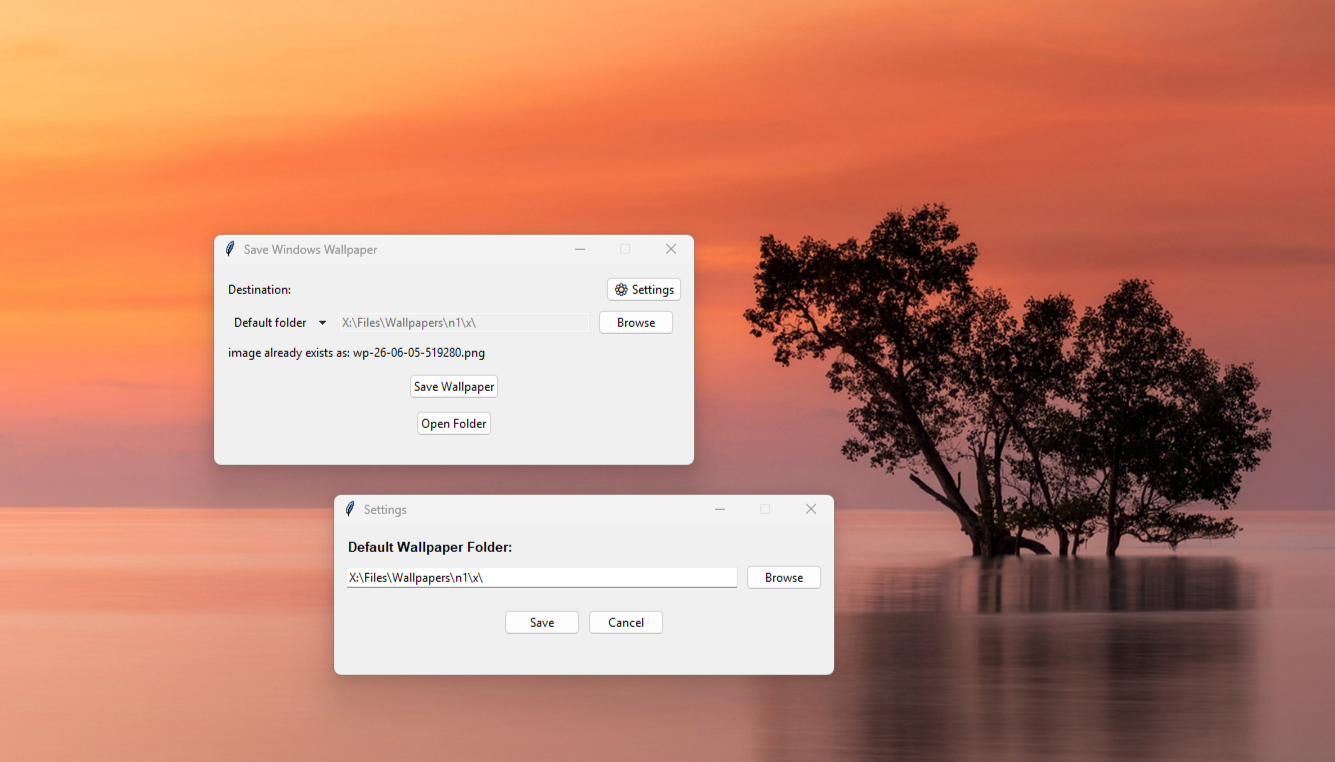
Save Windows 11 Wallpaper GUI screenshot

Download

Grab the latest getwallpaper.exe from GitHub Releases โ€” no Python required. Just download and run.

โฌ‡ Download .exe

How it works

1

Read

The app reads TranscodedWallpaper from %APPDATA%\Microsoft\Windows\Themes.

2

Check

Computes a SHA-256 hash to see if the wallpaper was already saved โ€” no duplicates.

3

Save

Copies it as a timestamped PNG (wp-YY-MM-DD-ffffff.png) to your chosen folder.

No third-party dependencies โ€” only the Python standard library.

CLI

All commands work with getwallpaper.exe (downloaded) or python main.py (source).

# Save wallpaper to a folder
$ getwallpaper.exe save "C:\Users\You\Pictures"
# Save to default folder
$ getwallpaper.exe save
# View / set default folder
$ getwallpaper.exe config get
$ getwallpaper.exe config set "C:\Users\You\Pictures"
# Show help
$ getwallpaper.exe help

Build from source

$ pip install pyinstaller
$ pyinstaller main.spec

The executable will be placed in the dist/ folder.